Homepage for a home server
I have a NAS (Network Accessible Storage) which doubles as a home server. It’s really convenient to have a set of always-on, locally hosted services - which lets me read RSS feeds without distractions, have local photos storage solution, or move away from streaming services towards organizing my (legally owned) collections of movies, shows, and audiobooks.
At this point I have 20-or-so services running and sometimes it gets hard to keep track of what’s where. For that - I found Homepage. A simple, fast, lightweight page which connects to all of my services for some basic monitoring, and reminds me what my service layout looks like.
Here’s what I built:
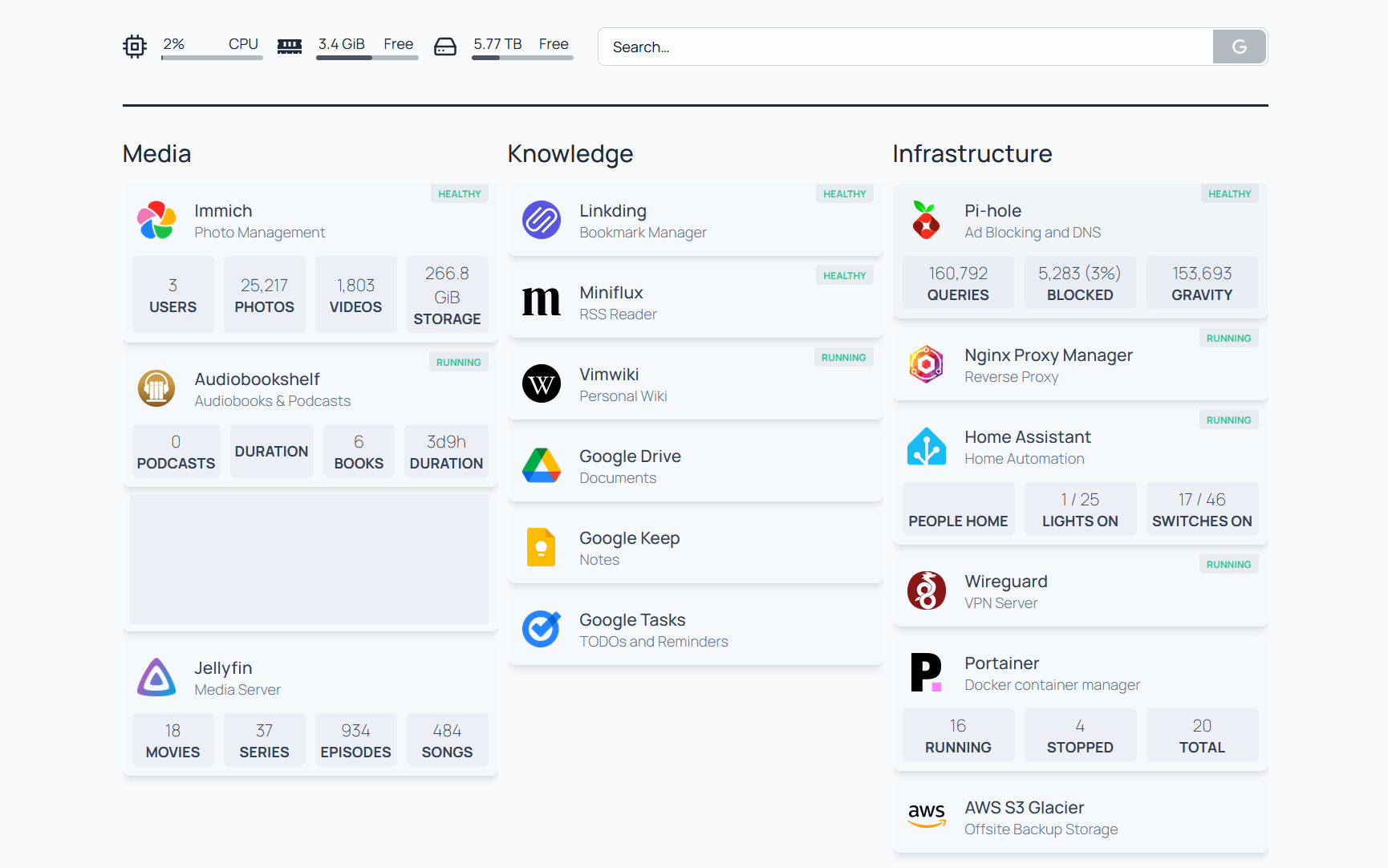
I love that the configuration lives in YAML files, and because the page is static - it loads real fast. There are many widgets which provide info about various services out of the box. It’s neat.
There’s definitely a question of how much I’ll keep this up-to-date: it’s not an automatically populated dashboard, and editing is a two-step process (SSH into the machine, edit the YAML configs) - which adds some friction. We’ll have to wait and see, but for now I’m excited about my little dashboard.